Architecting the production grade Static Website on Google Cloud
In This Article
We all have seen the How to host static website on Google Cloud or any other Cloud platform, have we ever dig into Architecting Static website at very peak of perfection for Production grade static website hosting on Google Cloud Storage.
If you are looking into Simple usage for you static website then here is document created by Google on Host a static website
The complication we are looking into it
- Rate limiting
- DDoS
- HTTP to HTTPS converstion
- SSl certificate management
- URL maps
generation id- Caching bucket
- Edge location
- Dual region
- Fastest transfer large file to bucket
- Setting up key-value metadata tag to objects
- Bucket access
- Will add more in future........
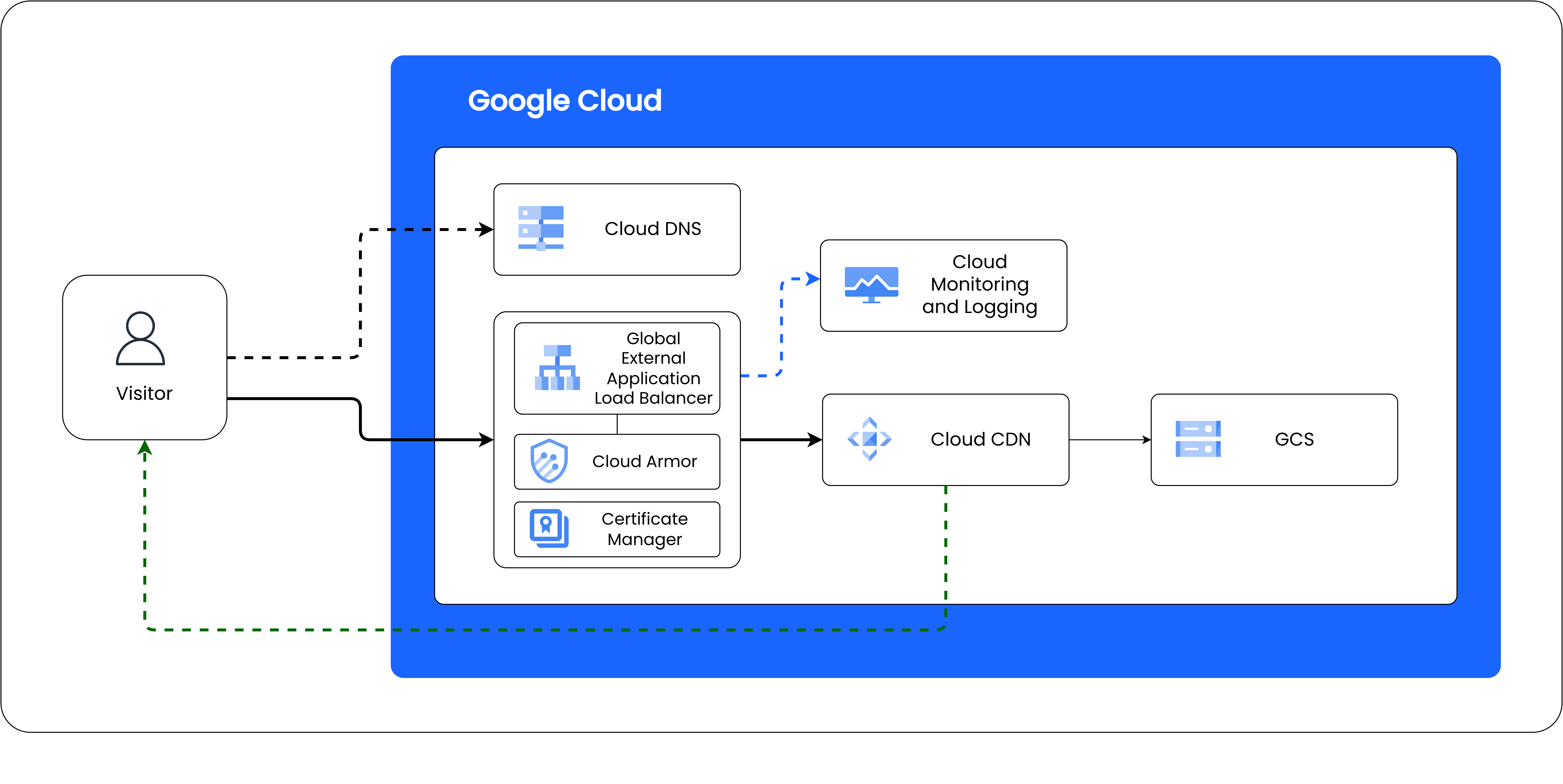
Architecture
How it works
The build script reads every file in blogs-src/, parses its frontmatter, and renders the body
with marked. Each post becomes a standalone HTML file styled with
blog-post.css.
[!note] This box is an Obsidian-style callout. Use
> [!note],> [!tip],> [!warning], or> [!danger]at the start of a blockquote.
Writing content
Standard Markdown works — lists, bold, italic, links, and more.
# Build locally to preview
npm run dev
Code highlighting
Fenced code blocks are highlighted with highlight.js:
name: deploy
on:
  push:
    branches: [dev, main]
Diagrams with Mermaid
Fenced ```mermaid blocks render as diagrams:
Promoting to production
When a post looks good on dev.vazid.live, merge dev into main and it ships to vazid.live.
[!tip] Keep images in
blogs/assets/and reference them with relative paths so they deploy cleanly.